
Keywords vs Search Terms in Amazon PPC
Contents expand_more
Understanding the distinction between keywords and search terms in Amazon PPC is not merely academic; it is absolutely fundamental to your success as an Amazon seller. Get this right and you will unlock the power to refine your advertising, cut wasted spend and, ultimately, drive more profitable sales. Many sellers, even those with some experience, grapple with this concept, but mastering it is a critical lever for campaign optimisation.
So what is the core difference, how can you leverage this knowledge for better PPC campaigns, and which optimisation techniques will turn this understanding into tangible results? This guide will equip you precisely with that:
clear definitions, practical applications and strategies to master the crucial relationship between what you tell Amazon you want to target (keywords) and what your customers actually type into the search bar (search terms). Prepare to transform your approach to Amazon PPC.
Part 1: Essential Definitions and the Relationship
Let’s get straight to the point. Understanding how keywords and search terms interact is the foundation of effective advertising on Amazon. Without this clarity, you are essentially flying blind, hoping your adverts reach the right eyes.
Keywords vs. Search Terms: The Essential Distinction
At its core, the difference is elegantly simple:
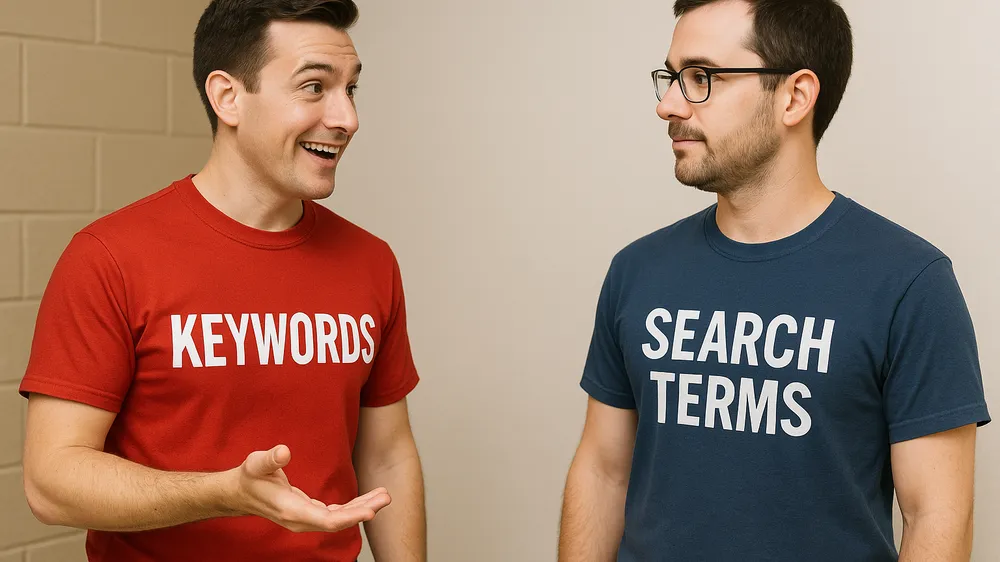
Keywords come from you, the seller. These are the terms and phrases you select in your manual PPC campaigns, telling Amazon’s algorithm which customer searches you consider relevant to your products. You choose your keywords based on research, product characteristics and your understanding of your target audience.
Search terms come from your customers. These are the exact, unfiltered words and phrases shoppers type into Amazon’s search bar when looking for products. They represent genuine customer intent and language.
Think of it this way: your keywords are your educated guess at what customers will search for. Search terms are the reality of what they actually search for. Your goal is to keep your guesses as closely aligned with reality as possible, and then use that reality to continually refine your guesses.
This distinction matters because it directly impacts your advert relevance, click-through rates (CTR), conversion rates and, crucially, your Advertising Cost of Sales (ACoS). When your keywords closely align with high-converting search terms, your campaigns thrive. When they do not, you are probably wasting money on irrelevant clicks or missing valuable impressions.
The Technical Foundation: How Amazon’s Matching Works
Amazon’s algorithm is the gatekeeper, deciding which customer search terms trigger your adverts based on the keywords you have provided and the match types you have selected. It is not magic, but a sophisticated system designed to connect relevant products with active buyers.
At a high level, when a customer searches, Amazon quickly scans the active campaigns. It looks for keywords that, according to the specified match type, are eligible to be shown for that particular search term. Factors such as your bid, the advert’s relevance (including historical performance) and the relevance of the product listing itself all play a role in whether your advert actually enters the auction and where it may rank.
Match Types Explained: Your Control Levers
Match types are your primary tool for controlling how broadly or restrictively Amazon pairs your keywords with customer search terms. Understanding these types is non-negotiable for effective campaign management:
Broad Match: This gives Amazon the most freedom. Your advert can appear when a customer’s search term contains the terms of your keyword in any order, and potentially includes synonyms or related terms. For example, if your broad match keyword is “men’s running trainers”, your advert might appear for “shoes for men to run”, “blue running trainers for him” or even “best athletic footwear for jogging”.
Benefit: Maximum exposure, good for research and discovering new search terms.
Risk: Can lead to irrelevant clicks and wasted spend if not monitored closely.
Phrase Match: More restrictive than broad match. Your advert can appear when a customer’s search term contains your exact key phrase, or your exact key phrase with additional words before or after. The word order in your core phrase matters. For “men’s running trainers”, it might match “lightweight men’s running trainers” or “best men’s running trainers size 42”, but not “men’s trainers for running”.
Benefit: Better relevance than broad match, while still allowing some variation.
Risk: May miss some relevant long-tail searches if too restrictive.
Exact Match: The most restrictive. Your advert can appear only when a customer’s search term matches your key phrase almost exactly, or with very close variations such as plurals or minor misspellings. For “men’s running trainers”, it would ideally match only “men’s running trainers” or “men’s running trainer”.
Benefit: Highest potential for relevance and control, often leading to better click-through and conversion rates.
Risk: Limited reach; you may miss many relevant searches if you use only exact match.
Amazon’s system also considers factors such as semantic matching (understanding the meaning behind words) to a certain extent, especially with broad match. However, the core logic revolves around these match types. Your job is to use them strategically to balance reach with relevance, continually refining based on what the search terms report tells you your customers are actually searching for.
Part 2: Keyword-Based Amazon PPC Campaign Structure
Simply understanding keywords is not enough; you need to structure your campaigns in a way that leverages this knowledge effectively. A well-organised campaign architecture is your launch platform for targeted advertising and efficient budget allocation.
Building an Effective Campaign Architecture
Your goal is to create a structure that gives you control, allows clear performance analysis and facilitates strategic adjustments. Many experienced sellers find success with structures that isolate match types or closely related keyword themes.
Organising Campaigns by Match Type: A common and highly effective strategy is to create separate campaigns for different match types (for example, one campaign for Exact match keywords, another for Broad match). This lets you set distinct budgets and bids according to the typical performance of the match type and your strategic goals. For instance, you can bid more aggressively on Exact match keywords you know convert well, while being more conservative with Broad match keywords used for research.
Structuring Ad Groups Around Keyword Themes: Within each campaign, organise your ad groups around tightly restricted keyword themes. For example, if you sell yoga mats, you might have ad groups like “eco yoga mat”, “travel yoga mat”, “extra thick yoga mat”. Each ad group should contain a small, highly relevant set of keywords (perhaps 5-15) that relate directly to the advert copy and the specific product variations you are promoting.
Bidding Strategies for Different Keyword Types: Your bids should not be one-size-fits-all. High-intent, proven keywords (often in Exact match) justify higher bids. Research-oriented keywords (such as those in Broad match campaigns) can start with lower bids until they prove their worth by revealing valuable search terms.
Budget Allocation Across Keyword Campaigns: Allocate your budget based on performance and strategic importance. If your Exact match campaigns are delivering a fantastic ACoS, they deserve a larger share of the budget. If a Broad match campaign is effectively unearthing new profitable search terms, make sure it has enough budget to continue its discovery mission.
Campaign Types and Their Relationship with Keywords
Amazon offers several campaign types, and the way they use “keywords” (or their equivalent) differs:
Automatic Campaigns: Here, you do not provide keywords in the traditional sense. Instead, Amazon’s algorithm automatically directs adverts to customer searches and products it considers relevant to your product listing. It is an excellent tool for harvesting high-performing customer search terms that you can then move into manual campaigns as keywords.
Manual (Keyword-Targeted) Campaigns: This is where your understanding of keywords and match types comes into play. You specify the keywords, match types and bids.
Sponsored Products: The most common ad type. Your adverts appear in search results and on product detail pages. Keyword targeting is central here.
Sponsored Brands: Showcase your brand and a collection of products. You target keywords, and your adverts can appear in prominent positions, including above search results. Keyword selection should align with your brand messaging and product range.
Sponsored Display: Offers different targeting options, including product targeting (aiming at specific ASINs or categories) and audiences. While some Sponsored Display strategies are less directly driven by keywords in the traditional sense, understanding search behaviour related to categories or competitor products remains vital.
Each campaign type has its place. Automatic campaigns are for discovery. Manual keyword-targeted campaigns are for precision and scaling based on known performers. Your Sponsored Brands keywords might be broader to capture brand- or solution-aware shoppers, whilst your Sponsored Products keywords can be more specific and product-focused.
Part 3: Search Term Analysis and Optimisation (The Feedback Loop)
Understanding keywords and campaign structure sets the stage, but the real magic happens when you start analysing what your customers are actually searching for. This is where the Search Terms Report (STR) becomes your most valuable asset—a direct line into the minds of your potential buyers. Mastering search term analysis is how you close the loop, turning raw data into actionable insights that continually refine and improve your PPC performance.
The Search Terms Report: Your Goldmine of Customer Data
The Search Terms Report is precisely what the name suggests: a detailed record of the actual search terms shoppers typed into Amazon that resulted in at least one click on your advert. It is not a report of your keywords, but a report of the customer queries your keywords matched against.
Where to Find It (Briefly): Generally, you can find the Search Terms Report within your Amazon Advertising console (Seller Central or Amazon Ads). Navigate to your campaigns, select the relevant campaign and ad group, and look for a tab or section labelled “Search Terms”.
Key Metrics to Analyse: When you open the STR, you will be presented with a wealth of data. Focus on these key metrics for each search term to assess its effectiveness:
- Impressions: How many times your advert was shown for that search term.
- Clicks: How many times your advert was clicked when shown for that search term.
- Click-Through Rate (CTR): Clicks divided by Impressions (Clicks÷Impressions). A higher CTR generally indicates good relevance between the search term, your advert and the product.
- Spend: The total amount you paid for clicks generated by that specific search term.
- Orders/Conversions: The number of product sales attributed to clicks from that search term.
- Sales: The total revenue generated from those orders.
- Conversion Rate (CVR): Orders divided by Clicks (Orders÷Clicks). A higher CVR indicates the search term is effectively leading to purchases.
- Advertising Cost of Sales (ACoS): Total ad spend divided by total sales (Spend÷Sales), expressed as a percentage. A lower ACoS is generally better, indicating greater profitability of your ad spend.
Analysing these metrics collectively for each search term lets you understand its contribution (or detriment) to your campaign goals. It is the foundation for identifying both the winning search terms to promote and the wasteful search terms to negate.
Identifying High-Performing Search Terms (Keyword Harvesting)
This is one of the most powerful actions you can take based on your Search Terms Report. Keyword harvesting is the process of finding customer search terms that are performing well (for example, good CTR, high conversion rate, acceptable ACoS) and adding them as new keywords in your manual campaigns, often with a tighter match type.
Why Harvest Keywords?
- Improved Targeting and Control: When you find a search term like “organic cotton baby bodysuit 3-6 months” performing well through a broad match keyword like “baby clothes”, adding it as an exact match keyword (“organic cotton baby bodysuit 3-6 months”) in a relevant ad group gives you direct control over bids and visibility for that specific, proven query.
- ACoS Optimisation: By focusing budget on search terms that convert efficiently, you can improve your overall ACoS.
- Continuous Discovery: Your automatic campaigns and broad/phrase match keywords will continue to discover new search terms. Harvesting ensures you capitalise on these discoveries.
The Harvesting Process:
1.Filter Your Search Terms Report: Look for search terms with one or more conversions (Orders>0) and an ACoS that satisfies your target. Also consider terms with high CTR, even if they have not yet converted, as they indicate strong advert relevance to the search query.
2.Identify Relevance: Make sure the search term is highly relevant to your product.
3.Add as New Keywords:
- For Exact Match Campaigns: If a search term has a good number of conversions and a strong ACoS, add it as an exact match keyword to a highly relevant ad group.
- For Phrase Match Campaigns: If a search term looks promising but you want to capture slight variations, consider adding it as a phrase match.
4.Set Appropriate Bids: When adding new keywords, start with a bid that aligns with the performance you saw in the STR or your target ACoS.
Adding Negative Keywords to Prevent Wasted Spend
As important as finding what works is finding what does not. Negative keywords are terms you add to your campaigns or ad groups to prevent your adverts from being shown when those terms are included in a customer’s search.
Why Use Negative Keywords?
- Reduce Wasted Spend: Prevent clicks from irrelevant searches that are unlikely to convert.
- Improve Click-Through Rate (CTR): By showing your adverts to a more relevant audience.
- Increase Conversion Rates (CVR): More relevant traffic generally leads to higher conversion rates.
Types of Negative Keywords:
- Negative Exact: Your advert will not be shown if the search term matches the negative keyword exactly.
- Negative Phrase: Your advert will not be shown if the search term contains the exact negative key phrase in that order.
Where to Add Negative Keywords:
- Campaign Level: Applies to all ad groups. Useful for broad terms you never want to target.
- Ad Group Level: Applies only to that specific ad group. Useful for refining within a campaign where a term may be irrelevant to one ad group but not another.
Identifying Potential Negative Keywords from the Search Terms Report:
- High Impressions, Low/No Clicks: Indicates your advert is being shown for terms shoppers do not find relevant.
- High Clicks, Low/No Orders: Suggests the search term is attracting interest but not converting. If clearly irrelevant, negate it.
- Irrelevant Terms: Any search term not clearly related to your product should be added as a negative to prevent future wasted spend.
Regularly reviewing your STR and adding relevant negative keywords is just as crucial as harvesting the positive ones. It is an ongoing process of refinement that protects your budget and improves overall campaign efficiency.
Performance-Based Bid Management Using Search Term Data
The next crucial step in optimising your campaigns using search term data is bid management. Your Search Terms Report (STR) provides invaluable insights into how much you should be bidding for your keywords based on the actual performance of the search terms that triggered them.
Strategies for Adjusting Bids Based on STR Performance
High ACoS / Low Conversion Rate Search Terms (for an existing keyword):
Action: If a specific search term consistently results in a high ACoS for the keyword that triggered it, consider lowering the bid on that keyword.
Caveat: If it is a broad or phrase match keyword and only some search terms are bad whilst others are good, you can first try negating the poorly performing search terms (as Negative Exact or Negative Phrase).
Target ACoS Met / Good Conversion Rate Search Terms:
Action: If search terms are converting at or better than your target ACoS for a particular keyword, you can consider cautiously increasing the bid on that keyword.
Monitoring: Make small incremental increases and monitor the impact on ACoS and sales volume.
High Spend, No Sales (for an existing keyword):
Action: If a keyword is accumulating significant spend through certain search terms without any sales, first check whether those search terms should be negated. If the keyword itself (after negations) continues to spend without converting, drastically reduce the bid or pause the keyword.
Calculating Target Bids (Example)
Whilst not an exact science, a common approach to estimating a bid based on performance is:
Your Target Bid = (Maximum CPA you are willing to pay) × (Conversion Rate of the Search Term/Keyword)
Where CPA (Cost Per Acquisition/Order) = (Average Sale Price per Order) × (Target ACoS)
Example:
- Product Sale Price: €50
- Target ACoS: 25%
- Search Term Conversion Rate: 10% (i.e. 1 sale for every 10 clicks)
Maximum CPA = €50 × 0.25 = €12.50
Target Bid = €12.50 × 0.10 = €1.25
This formula provides a starting point. You will need to adjust based on competition, how aggressive you want to be and ongoing performance.